Awareness Materials
Workplace Injury Hotline Promotional Materials

The MCIT provided workplace injury hotline powered by Medcore is for all work-related injuries. The hotline is a simple and effective way to improve outcomes for employees who are hurt on the job. It also serves to begin the workers’ compensation claim process.
Use the below items to educate supervisors and employees about the hotline, its benefits, and how and when to use it.
Use the video to introduce staff to hotline, and to show then how and when to use it. Consider viewing the video during a staff meeting, during employee onboarding, posting to the intranet or emailing a link to staff.

Provide a guide to all supervisors. Consider posting the PDF to the intranet where all employees can access it.
MCIT members can request to have printed workplace injury hotline promotional materials sent to them.

Place posters near workstations and high-traffic areas around the office, such as next to coffee pots, water stations and refrigerators.
MCIT members can request to have printed workplace injury hotline promotional materials sent to them.

This magnet makes it easy for supervisors to locate the phone number for the hotline should they have an injured employee. Distribute a magnet to all supervisors and consider having extras to place around the office, such as on refrigerators, cabinet doors and filing cabinets.
Request to have magnets sent to you by contacting MCIT.
How to Share Videos
The animated videos available to MCIT members as part of MCIT’s loss control and risk management services can be shared with member employees in two ways. See instructions below.
You need to capture the embed code for each video to stream them on your intranet site. Work with your intranet manager to place the embed code.
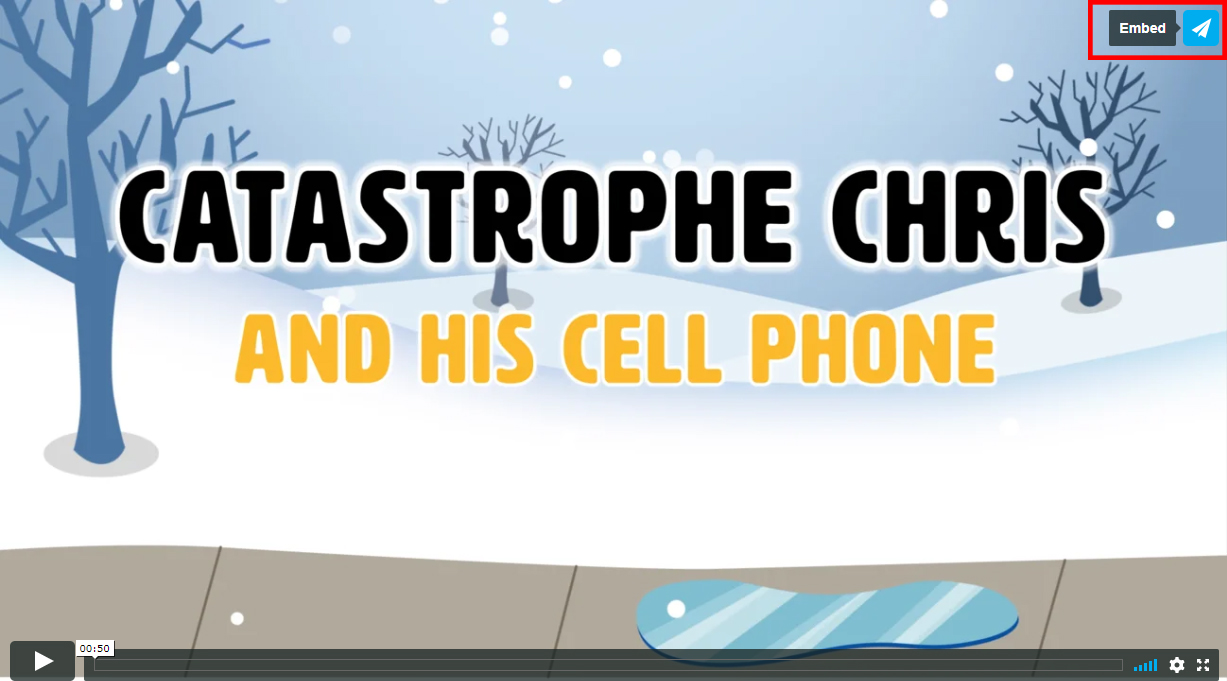
- Locate the video you want to add to your intranet site . Click on the paper airplane icon in the upper right corner of the video (see above).
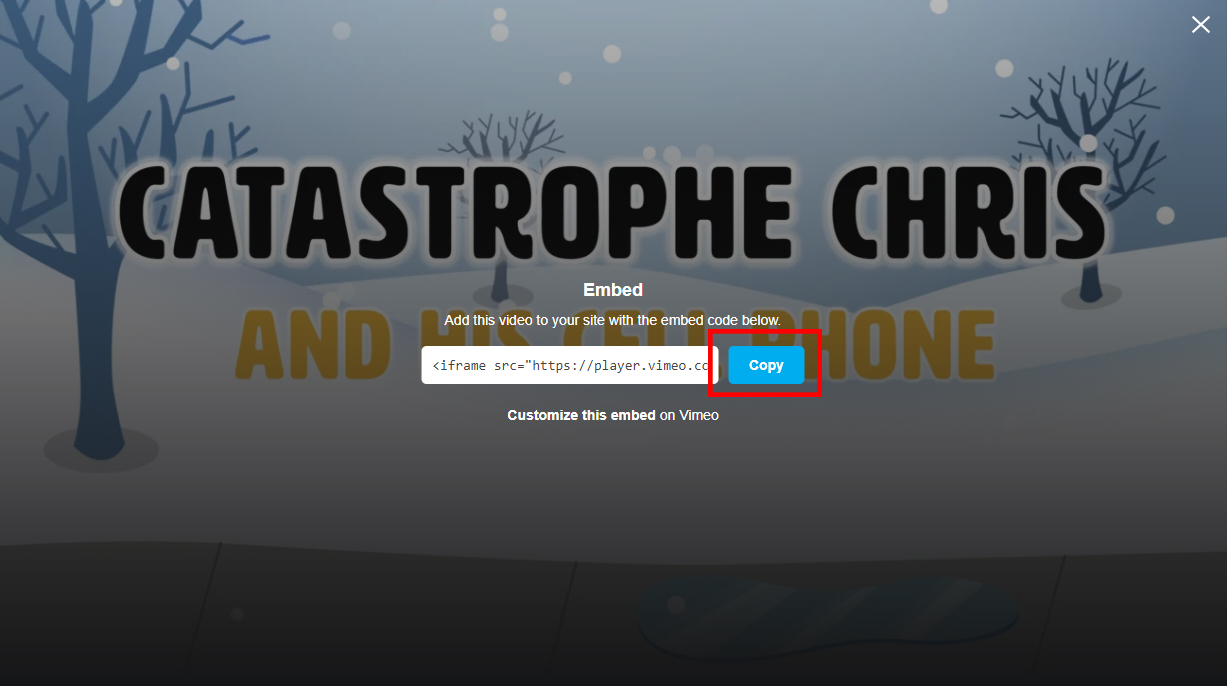
- Click the blue “Copy” box to capture the embed code (see above).
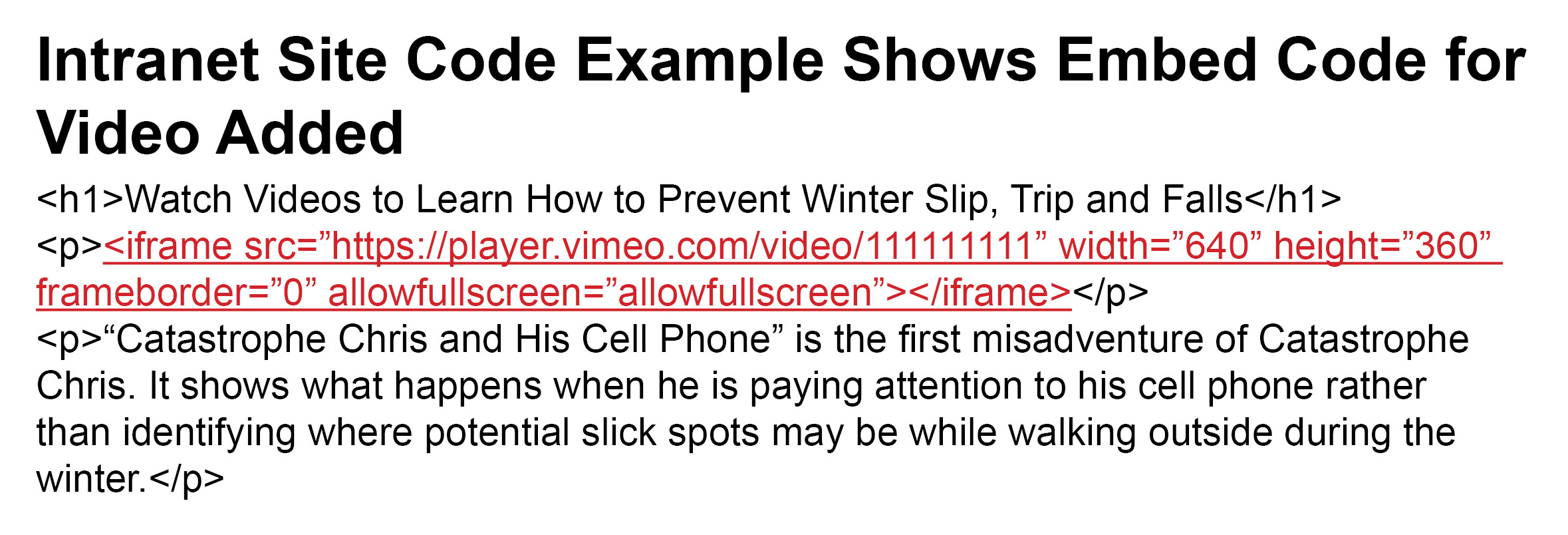
- Paste the embed code into the code of the intranet page where you want the video to appear (see above). The embed code looks something like this: <iframe src=”https://player.vimeo.com/video/111111111” width=”640” height=”360” frameborder=”0” allowfullscreen></iframe>
This allows you to provide a link to the animated videos to employees that takes them to view the animated videos online. You could post the links on the entity’s intranet site or distribute in e-mails, for example.
Suggestion: For the most impact, hyperlink a screen shot image of the video’s title screen to increase the visual appeal.
- Follow steps 1 through 3 above for capturing the embed code.
- Paste the embed code into a text file.
- Delete extraneous text as shown here: <iframe src=”https://player.vimeo.com/video/111111111” width=”640” height=”360” frameborder=”0” allowfullscreen></iframe>
- The remaining text is the URL (link) for the video at the MCIT online player. Use the link to connect employees to the video.
Learn More About the Workplace Injury Hotline
MCIT’s workplace injury hotline offers an efficient way for employees who are injured on the job to connect with professional medical advice. The service is provided at no cost to all MCIT member organizations.
The Workplace Injury Hotline page details how the service works and when members should use it. The page also includes frequently asked questions about the workplace injury hotline.
Topics